If you are thinking in terms of installing Windows 11, you need to make sure that Trusted Platform Module is available on the computer and manually Enable TPM 2.0 (if […]
Windows 10
How to Scan Files/Folders for Virus In Windows 11/10

You can manually scan individual Files and Folders for presence of virus/malware on your computer by using the built-in Windows Security program as available in Windows 11/10. The steps to […]
How to System Restore Windows 11/10 Computer

You may find the need to System Restore your computer, if it has become unstable after installation of an update, app, desktop program, due to change in System Settings and […]
How to Release & Renew IP Address on PC & Mac

You may find the Release & Renew IP Address on your Windows PC and Mac, if they are unable to connect to the internet or connect to particular websites on […]
How to Disable Face Detection & Biometrics in Windows
Current generation of computers come with Face Detection and Biometrics built-in to Windows Hello login & Photos App. If you do not want to use this feature, it is possible […]
How to Add “This PC” to Desktop in Windows 11/10
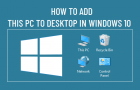
It is really easy to add back “This PC” Icon to the Desktop on your Windows 11/10 computer, if it is missing, was accidentally deleted or not appearing after installation […]
Windows Computer Turns ON With Black or No Display
While the problem of a computer that turns on with Black or No Display does point to possibility of the screen or the display device being faulty, it can also […]
Delete Locked File Using Command Prompt in Windows
In general, a Windows computer is known to come up with “File in Use” or “File is Locked for Editing” error, if any User tries to delete a Shared File […]
Fix: iTunes Error -54 on Windows Computer
iTunes error message reading “The iPhone cannot be synced. An unknown error occurred (-54)” usually occurs while an iPhone, iPad or iPod is trying to sync with iTunes on a […]
Fix: Network Adapter Not Detected Error in Windows 11/10
While the “Network Adapter Not Detected” Error in Windows is more commonly associated with Realtek Network Adapters, it can also occur with any other make of Network Adapter installed on […]
Fix: SD Card Not Showing Up in Windows File Explorer
You won’t be able to access files in the SD Card, if it is not being detected by the computer and not showing up in the File Explorer window on […]
How to Reset Password in Windows 11/10
Forgetting the login password for a computer is a common occurrence. Hence, Windows operating system provides the option to Reset password, both for Local and Microsoft User Account. If you […]