If you carry around your Laptop computer to work and other places, you might be interested in knowing the steps to Enable and Use the “Find My Device” feature on […]
Microsoft Windows
How to Clean Boot Windows Computer

When you start Windows in “Clean Boot” mode, it starts the computer with only the most essential services, which makes it easy to identify the program or service that is […]
Fix: Windows Computer Goes to Sleep Randomly
If your computer is randomly going to sleep, the problem might simply be due to a low value being selected for the Sleep Time Settings on the computer. If this […]
Fix: Windows Computer Not Going to Sleep
The default Setting on a Windows computer is to go into sleep mode, if it is not actively being used and has remained inactive for period of 10 minutes. If […]
How to Disable Internal Speakers in Windows 11/10
The most common reason for disabling internal speakers on a Windows computer is to prevent the computer from producing an unexpected sound in a quite environment like a library or […]
How to Fix 100% Disk Usage in Windows 11/10
If your computer has become painfully slow and taking up a long time to open apps, files and web browser, it is likely to be suffering from high disk usage, […]
How to Setup Dual Monitors in Windows 11/10
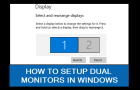
As you must have noticed, Dual Monitors are routinely being used by Architects, Coders, Content creators, Media Editors and people in other professions. In-fact, the standard setup in many corporate offices […]
Fix: Driver Power State Failure Error in Windows 11/10
The “Driver Power State Failure” is also known as Blue Screen of Death (BSOD) and it usually occurs when a device driver fails to respond properly to power management request […]
How to Create Microsoft Account Using Gmail

If you are a Windows user and prefer using Gmail, you might be pleased to know that it is possible to create Microsoft Account using your current Gmail Address, which […]
Fix: iPhone Not Detected By Windows Computer
If iPhone is not being detected by Windows computer, you won’t be able to Backup, Restore or Update your device using Apple’s iTunes software installed on your Windows 11/10 computer. […]
How to Open “Startup Folder” in Windows 11/10
As indicated by its name, “Startup Folder” is a hidden Windows system folder; containing references or shortcuts to apps, desktop programs, scripts and files that have been allowed to automatically […]
Fix: Application was unable to start correctly (0xc0000005)

While “Application Was Unable to Start Correctly (0xc0000005)” error is known to occur while trying to open an app or desktop program, it can also occur while trying to open […]