As you must have noticed, there is no option to create Admin Accounts in the Home Edition of Windows. Hence, the only way to add a Local Admin Account on […]
How to Create Admin Account In Windows 11/10
If your computer is setup with Microsoft Account, you may want to create a Local Admin Account on your computer. In-fact, this is necessary; if you are using Microsoft Account […]
How to Enable Hidden Admin Account in Windows 11/10
In case you are not aware, Windows operating system comes with a built-in Hidden Admin Account, which is disabled by default on the computer for security reasons. While the presence […]
How to Change Username in Windows 11/10
You can change the Username that you use to login to the computer, both for Local User Accounts and also for the Microsoft User Account on your computer. In the […]
How to Show Remaining Battery Time in Windows 11/10
The earlier versions of Windows provided battery life in real time, showing an approximate estimate of the time (in hours) up to which the battery on your Laptop was going […]
How to Change Sleep Mode Time in Windows 11/10
The default setting in Windows is to make the computer to automatically go into sleep mode after 10 Minutes of inactivity while using battery and 15 minutes of inactivity when […]
How to Restore Missing Battery Icon in Windows 11/10
The default option in Windows is to display the battery icon at bottom-left corner of the screen in the taskbar, which allows you to quickly take a look at the […]
How to Uninstall Updates in Windows 11/10
While Microsoft keeps Windows computers up-to-date by pushing software, security and driver updates, it also provides the option to roll back Major updates (Yearly OS upgrades) and uninstall other types […]
How to View Installed Updates in Windows 11/10
While an important part of Windows updates is to fix security/software bugs and enhance the performance of your device, it is not uncommon to find apps/programs or drivers becoming incompatible […]
3 Ways to Fix Stuck Windows Update
It is not uncommon to find Windows computer being stuck on a Windows update with Working on updates, Don’t Turn off the computer message being displayed forever on the screen […]
How to Enable On-Screen Keyboard in Windows 11/10
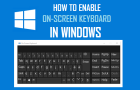
In addition to the physical or actual keyboard, Windows operating system provides the option to Enable On-Screen keyboard, which can be useful if the actual keyboard is not available or […]
How to Optimize/Defragment Hard Drive in Windows 11/10
Windows operating system provides the option to Optimize and Defragment the hard drive, which can help in improving the performance of computers using traditional HDD Drives. Since, computers with SDD […]