iPhone Recovery Mode can be defined as a built-in safe troubleshooting state, during which it can allow a computer to reinstall iOS, update firmware, restore from backup and perform a […]
How to
How to Change Display Language on Android Phone

In most cases, the default display language on an Android Phone or Tablet is based on the Region/Country in which the device is being sold. Hence, the most common reason […]
Fix: Auto Lock Option Greyed Out on iPhone
If the Auto Lock settings option on iPhone is stuck or greyed out, you won’t be able to change the time or duration after which the screen of your device […]
How to Stop iPhone Screen Turning Off Automatically
While, the default setting on iPhone is to switch-off the screen after 30 seconds of inactivity, it also provides the option to stop the screen from automatically turning-off. In general, […]
How to Remove “Sent from my iPhone” Signature

As you must have noticed, emails sent from iPhone are usually accompanied by “Sent from my iPhone” signature. However, it is possible to remove “Sent from my iPhone” signature and […]
How to Change Default Email Address On iPhone
If you are looking for a way to change the Default Email Address on iPhone, it is likely that your Email Address has changed, you have added multiple Email Addresses […]
How to Recover Deleted Emails On iPhone and iPad
It is very common for users to delete email messages, only to realize (immediately or later) that they had made a mistake and those emails or a particular email message […]
How to Bulk Delete Emails on iPhone or iPad
If you are looking for a way to Bulk Delete Emails from the Mail App on iPhone, it is likely that your Email Account has become full or over crowded […]
How to Turn OFF Predictive Text Suggestions on iPhone
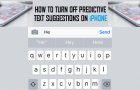
The Predictive Text Suggestions feature on iPhone is designed to speed up your typing in Messages and other apps by coming up with word suggestions that you are most likely […]
How to Hide Your Caller ID on iPhone
The default setting on iPhone is to show Caller ID, which practically means that your Phone Number and Name will be visible to anyone that you call from your device. […]
How to Delete Photos From iMessages on iPhone

Over a period of time, photos attached to iMessages can end up taking up a lot of storage space on your iPhone. Hence, it is a good practice to periodically […]
How to Disable In-App Purchases on iPhone & Android
The term “In-app purchases (IAPs)” can be defined as any type of digital purchase made inside a mobile app; after it was downloaded as free or paid app from the […]