When you bring home a New Wireless or USB Printer, you won’t be able to print anything, unless you go through the process of adding the printer to your computer. […]
Windows 10
How to Open Devices and Printers in Windows 11/10
As indicated by its name, the “Devices and Printers” section in Windows is designed to provide easy access to Printers and Devices connected to the computer, so that you can […]
Fix: Graphics Device Code 43 Error in Windows 11/10
If your computer is coming up with “Windows has stopped this device Code 43” error message, it is likely that the problem is related to improper functioning of the Graphics […]
Stop OneDrive From Opening at Startup in Windows 11/10

While the default setting in Windows is to allow OneDrive to automatically startup with the computer, it also provides the option to prevent OneDrive from opening at startup on your […]
How to Open Control Panel in Windows 11/10
While Microsoft has been transferring settings from Control panel to the Settings App for a long period of time, users still find the need to open the Control on both […]
How to Disable Remote Assistance in Windows 11/10
As indicated by its name, the purpose of “Remote Assistance” feature on a Windows computer is to allow a trusted technical support person to diagnose and fix problems on your […]
How to Enable/Disable Sleep Mode In Windows 11/10
The default setting on a Windows computer is to make the computer to automatically go into Sleep Mode after 15 Minutes of inactivity, while using battery and after 30 minutes […]
How to Disable On-Screen Keyboard in Windows 11/10
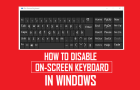
If you are looking for a way to disable the On-screen keyboard on your computer, it is most likely that the On-screen keyboard is bothering you by starting up automatically […]
Disable Control Panel and Settings in Windows 10/11
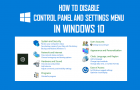
Both Control Panel and Settings Menu can be used to access various options and tools that can be used to change a wide range of settings on a Windows computer, […]
Fix: Recycle Bin Missing in Windows 11/10
If the Recycle Bin Icon is missing from the Desktop of your computer, you won’t be able to clear the Recycle Bin and access deleted files located in the Recycle […]
How to Open Registry Editor In Windows 11/10
You may find the need to open the Registry Editor on your Windows computer, in order to enable/disable certain features which could not be enabled by using Settings or other […]
How to Backup Registry in Windows 11/10
The default setting in the previous or older versions of Windows operating system was to automatically backup the Registry Files and save the Registry Backup in “RegBackup” System Folder. However, […]