If your computer has become painfully slow and taking up a long time to open apps, files and web browser, it is likely to be suffering from high disk usage, […]
Windows 11
How to Setup Dual Monitors in Windows 11/10
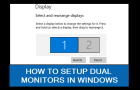
As you must have noticed, Dual Monitors are routinely being used by Architects, Coders, Content creators, Media Editors and people in other professions. In-fact, the standard setup in many corporate offices […]
How to Create Microsoft Account Using Gmail

If you are a Windows user and prefer using Gmail, you might be pleased to know that it is possible to create Microsoft Account using your current Gmail Address, which […]
Fix: iPhone Not Detected By Windows Computer
If iPhone is not being detected by Windows computer, you won’t be able to Backup, Restore or Update your device using Apple’s iTunes software installed on your Windows 11/10 computer. […]
How to Open “Startup Folder” in Windows 11/10
As indicated by its name, “Startup Folder” is a hidden Windows system folder; containing references or shortcuts to apps, desktop programs, scripts and files that have been allowed to automatically […]
Fix: Application was unable to start correctly (0xc0000005)

While “Application Was Unable to Start Correctly (0xc0000005)” error is known to occur while trying to open an app or desktop program, it can also occur while trying to open […]
How to Change Default PDF Reader in Windows 11/10
While the default setting on a Windows computer is to open PDF Files using the built-in PDF viewer as available in Microsoft Edge, it also provides the option to change […]
Fix: Audio Services Not Responding in Windows 11/10
If your computer is coming up with “Audio Service Not Responding” error message, it is likely that you were trying to fix sound problems by using the Audio or Sound […]
Fix: USB Ports Not Working in Windows 11/10
The problem of USB ports not working on a Windows computer could be due to drivers for the USB ports not being loaded during the startup process of the computer. While […]
How to Password Protect Files/Folders in Windows 11/10
You can protect sensitive, confidential and personal files/folders on your computer by hiding them and also by using the built-in Encryption tool, which is available in the Professional & Enterprise […]
Can’t Delete File/Folder Error in Windows 11/10
If you are unable to delete a File/Folder on your computer, the problem is most likely due to the File/Folder being used by another program or occupied by an ongoing […]
Fix: Send to Compressed (Zip) Folder Missing In Windows
You won’t be able to compress or ZIP Files, if “Send to Compressed ZIP Folder” option is missing from the right-click menu on your computer. However, it is not difficult […]